Set up outgoing testimonial webhooks
Connect a receiving endpoint and understand the current test and collection delivery formats.
Updated
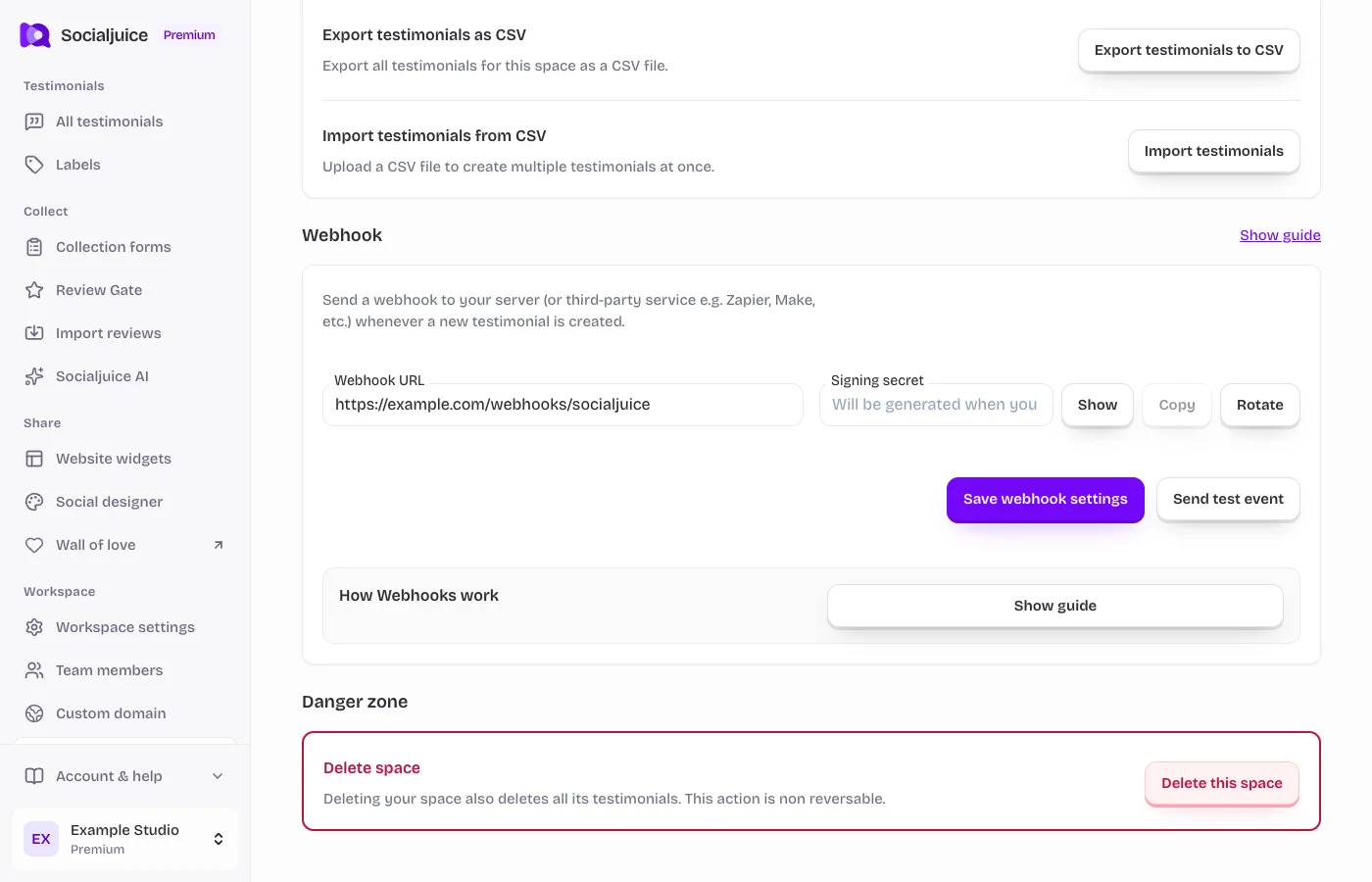
Current Socialjuice dashboard with example data. Interface labels follow your dashboard language.
On this page
Prepare a receiving endpoint
Webhooks send information about new testimonials from supported creation routes to another service. You need a plan with webhooks, permission to edit the space, and a publicly reachable HTTPS receiver. Localhost, local hostnames, and private network addresses are not supported by the dashboard URL validation.
For Zapier or Make, create a receiving webhook trigger first and copy its HTTPS URL. Do not connect a customer-facing automation until you have checked the real payload and authentication headers it will receive.
Save and test the connection
- Open Webhooks in the sidebar. It opens Workspace settings → Advanced.
- Enter the Webhook URL and choose Save webhook settings. Store the generated Signing secret securely on your receiving server. Never put it in browser code, screenshots, or public logs.
- Choose Send test event. The dashboard sends a signed webhook.test event. Check that the receiver returns a 2xx response.
- Inspect the request before mapping fields. A successful dashboard test verifies that signed test request; collection-form deliveries currently use a different format, described below.
Understand the two current delivery formats
Dashboard test events use an HMAC-signed envelope with id, type, created, and data fields. Headers include Socialjuice-Event, Socialjuice-Delivery, Socialjuice-Timestamp, and Socialjuice-Signature. A signed creation event uses testimonial.created; the dashboard test uses webhook.test.
The current collection service sends the configured secret in X-Webhook-Secret over HTTPS. It does not attach the HMAC headers or the signed envelope. Collection payloads can contain testimonial fields directly or inside a testimonial object, depending on the collection path. Inspect an actual request before mapping name, email, uuid, and testimonial content. Do not assume the dashboard test payload matches a real collection.
Authenticate and handle both formats
For signed requests, verify HMAC SHA-256 over <timestamp>.<raw_request_body>, compare the digest in constant time, and reject stale timestamps. For collection requests, compare X-Webhook-Secret with the configured secret on your server. Reject a request that does not pass the authentication required for its format.
The shared-secret format does not provide the timestamp and delivery-ID replay protection of signed events. Deduplicate collection requests with the testimonial uuid in the context of the correct space when available. For signed events, use Socialjuice-Delivery or the envelope id. Only pass the customer fields your downstream workflow needs.
Delivery limits and troubleshooting
Return a 2xx response promptly. The signed dashboard sender makes up to three total attempts, with a 10-second timeout per attempt. The current collection sender makes a single request without that retry loop. Do not assume the signed sender’s retries apply to collection-form deliveries.
If the receiving tool cannot validate the required header, put a verification step on your own server before triggering sensitive actions. A webhook indicates creation, not a new grant of consent to publish. Review public visibility and consent separately.
Rotate or disable the connection
If the secret is exposed, use Rotate secret and update all receivers immediately. This changes the secret used by both delivery formats. To disable delivery, clear the Webhook URL and save. Keep the old secret out of public logs and screenshots.