Embed a collection form on your website
Let customers leave feedback without opening a separate page.
Updated
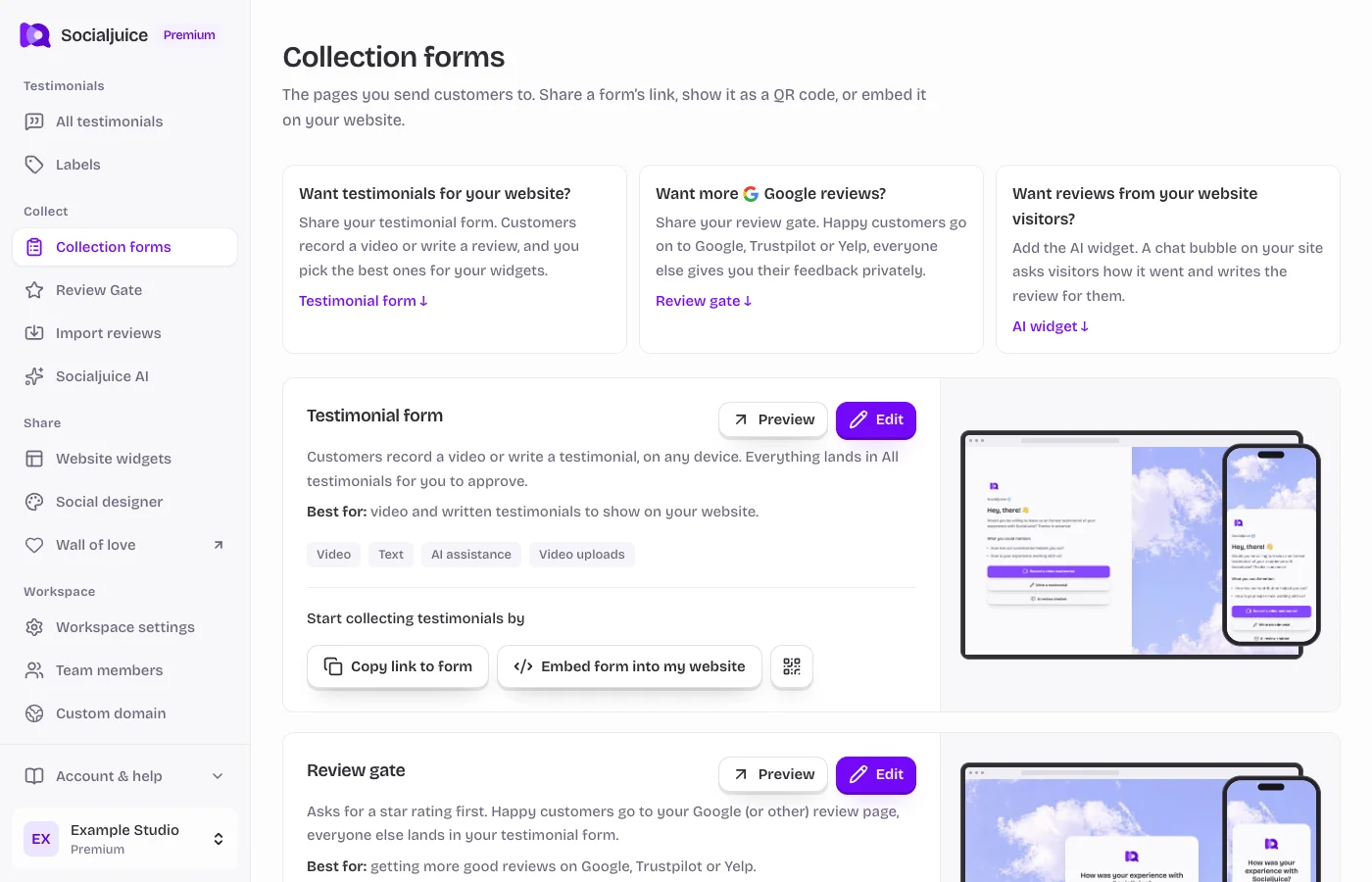
Current Socialjuice dashboard with example data. Interface labels follow your dashboard language.
Get the form embed
- Open Collection forms in the correct space. Find the testimonial form or Review Gate you want to use.
- Choose Embed form in my website. Copy the complete snippet supplied by the dashboard. Keep its URL, attributes, and camera and microphone permissions.
- Add the snippet to a custom HTML or embed block on your website. Save and preview the actual rendered page. Use the platform guides if you need help locating the right block.
Make recording work
Use HTTPS for both your website and the form. The browser asks the customer to grant camera and microphone access when needed. Restrictions on your website, an enclosing iframe, or a browser permission can block recording even when the form itself loads.
Always offer a normal link that opens the form in a new tab. This gives customers a fallback when their browser blocks recording inside an embed.
Test the container
Check width and height on mobile and desktop. Some site builders place your HTML inside another iframe, so changing the inner form height may not change the outer block. Increase the site-builder block height if the final button is cropped.
Do not use a code block that merely displays HTML as text. If your site plan strips iframe tags or disallows custom code, use a shareable form link or ask the platform administrator for help.