Create a branded testimonial image
Turn a customer quote into an image for your own social posts.
Updated
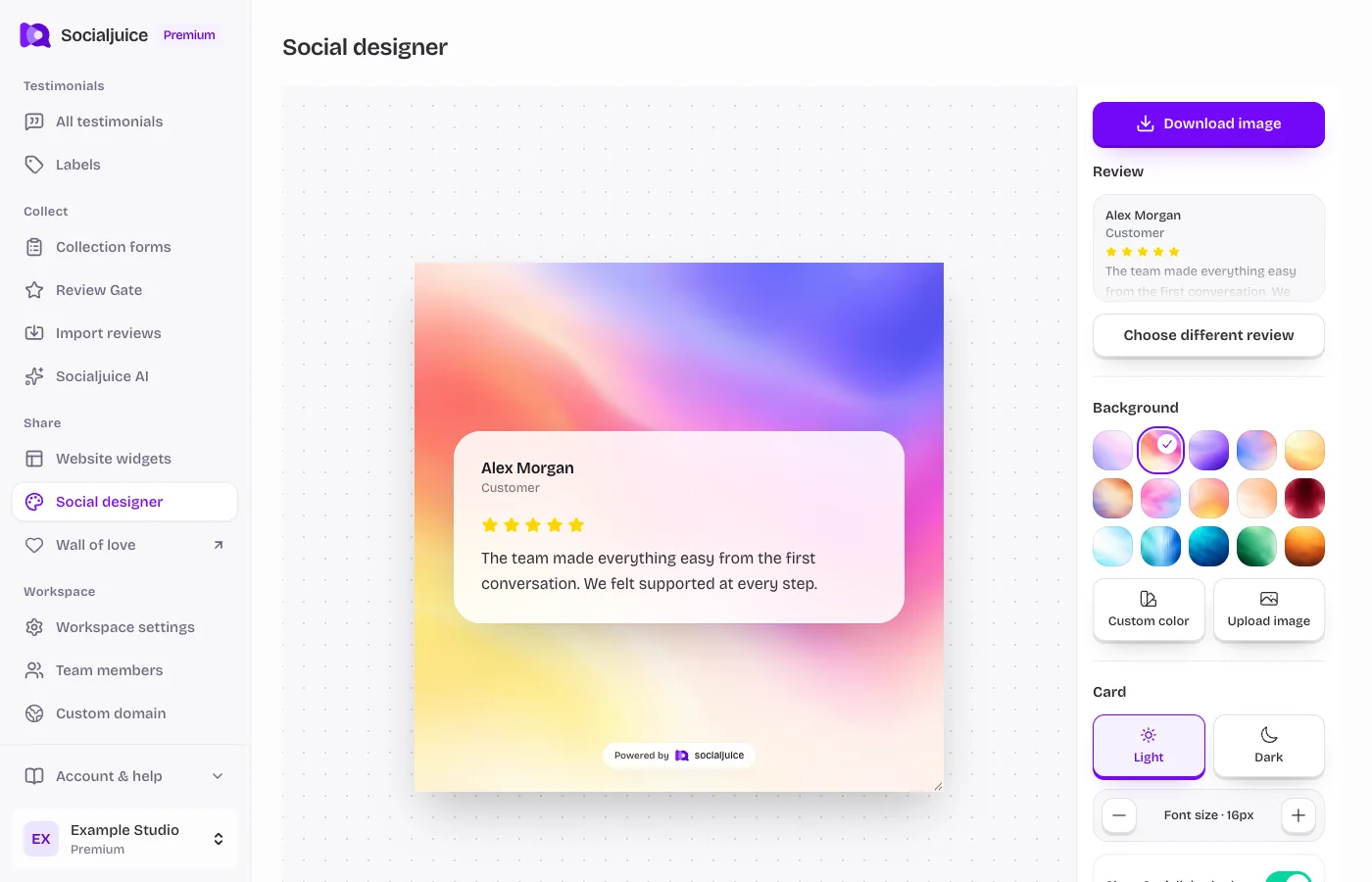
Current Socialjuice dashboard with example data. Interface labels follow your dashboard language.
Design and export
- Open Social designer from the sidebar in the correct space.
- Choose a testimonial and an available layout. Review the wording, author attribution, and any image or video thumbnail used in the design.
- Adjust the brand treatment, background, and other controls available in the editor. Choose a size suited to where you will share the image.
- Preview the full composition, especially long quotes and author names. Export using the download control and open the file to check it.
- Upload the image through your social platform’s composer, add helpful alternative text where supported, and review the post before publishing.
Keep the testimonial authentic
Use customer words in their original context. Do not add a rating, company, job title, or result the customer did not provide. Check consent for the intended publication and make sure small text is readable on a phone.
If your export looks different
Wait for images and fonts to finish loading before exporting. Check whether a long quote needs a different layout or size. If an image fails to load, reselect it and try again; include the layout and browser in any support request.