Set up your Review Gate
Configure a rating-first form and its external review destinations.
Updated
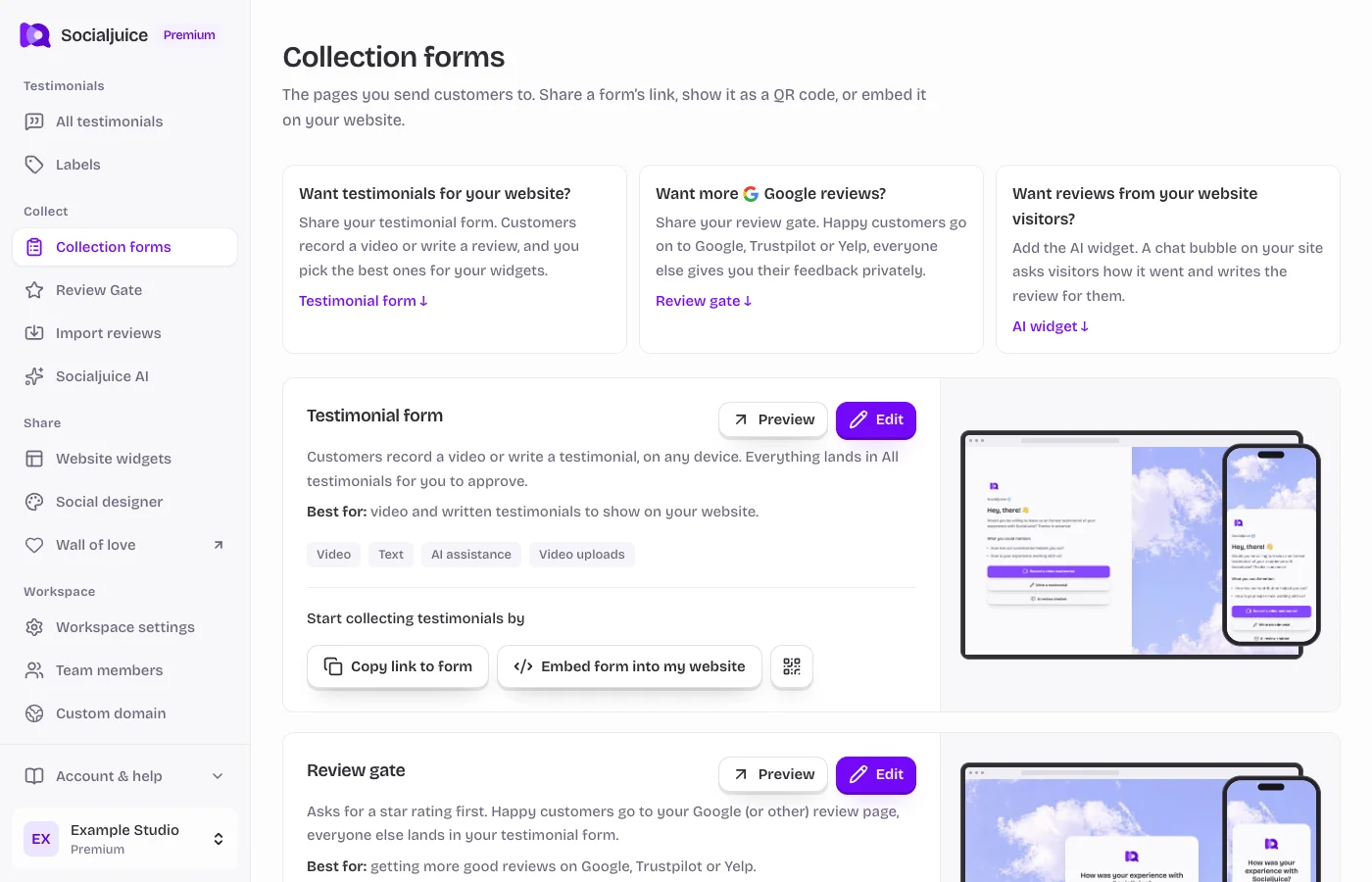
Current Socialjuice dashboard with example data. Interface labels follow your dashboard language.
Understand the flow
Review Gate first asks for a star rating. Depending on your configured rules, the customer can continue to your testimonial form or an external review destination. It is a separate public form from the standard testimonial form.
External review platforms set their own rules for soliciting feedback. Check the rules of each destination and ask customers for honest reviews. Do not promise that every destination permits filtering review invitations by rating.
Configure and preview
- Open Review Gate in the sidebar, or use its edit link under Collection forms.
- Review General settings, the rating threshold, enabled destinations, and each destination URL. Use the actual public review link for your business.
- Customize the text and branding. Review the behavior for ratings on both sides of your chosen threshold.
- Save and preview the public Review Gate. Follow each branch and verify that the destination belongs to the correct business.
- Return to Collection forms to copy its link, open its QR code, or embed the form on your website.
If a destination does not open
Check that you saved a complete HTTPS URL and enabled the destination. A customer’s browser or the external platform may require sign-in before they can post. Socialjuice cannot publish a review on that platform on the customer’s behalf.