Make a testimonial public or private
Control which testimonials can appear on your website and public links.
Updated
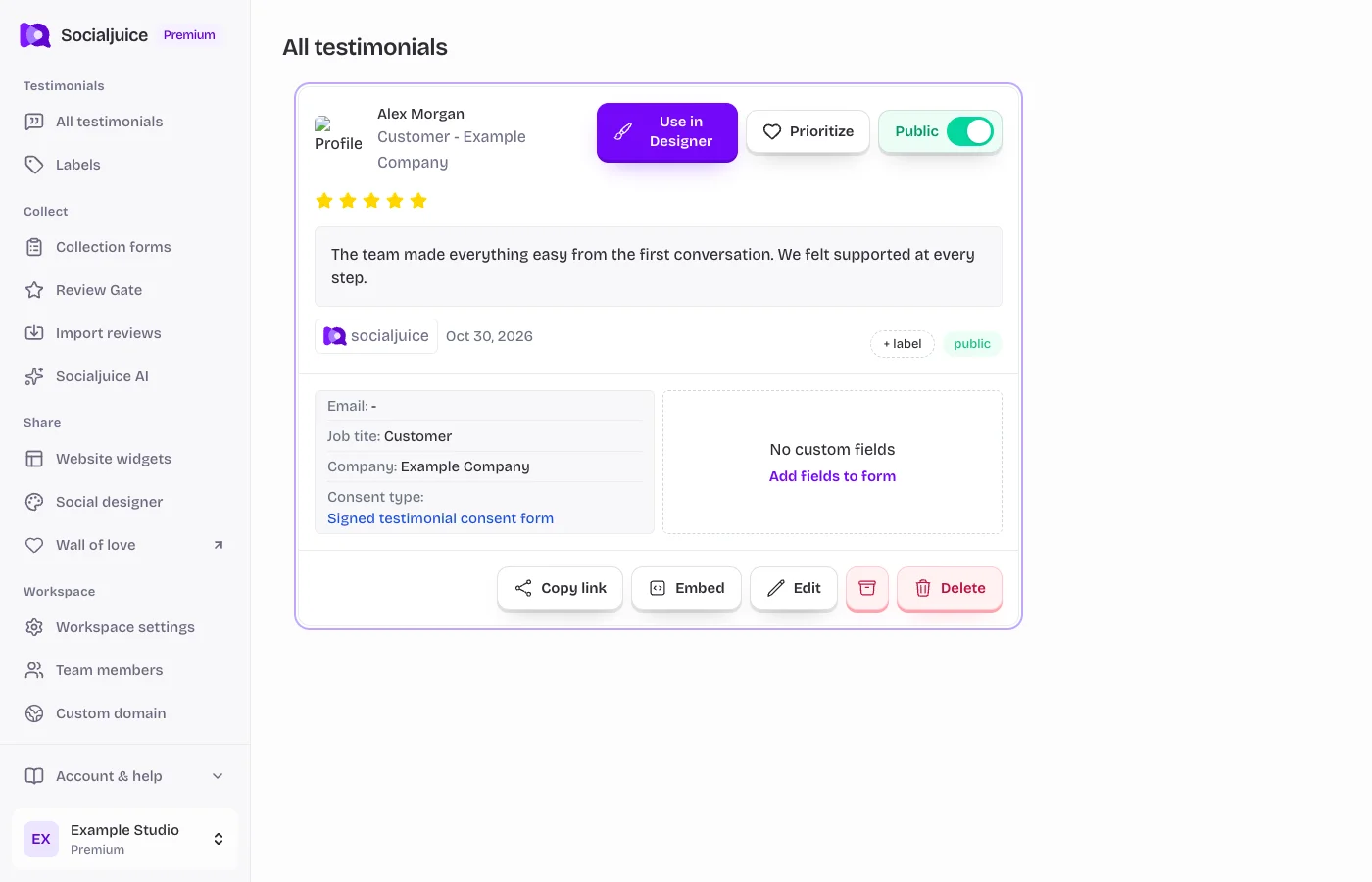
Current Socialjuice dashboard with example data. Interface labels follow your dashboard language.
Review before publishing
Open All testimonials in the correct space. Read the full response or play the video, check the customer’s details and consent, and decide whether it is appropriate to share. Public visibility is separate from labels and favorites.
Change visibility
- Select the testimonial to open its detail view.
- Find the Public switch and turn it on to make the testimonial available publicly. Wait for the change to save.
- Open the public link or the intended widget and confirm the testimonial appears. If the widget uses labels or a custom selection, include it in those filters too.
- To remove it from public display, turn Public off and check the public page again. Existing downloads or copies you published elsewhere are separate files.
If it does not appear
Check the correct space, public status, archive state, and widget filters. A widget that only shows a selected label will not show every public testimonial. Reload the actual public page after saving.
Keep private feedback private unless you have permission to publish it. A public switch does not replace customer consent.